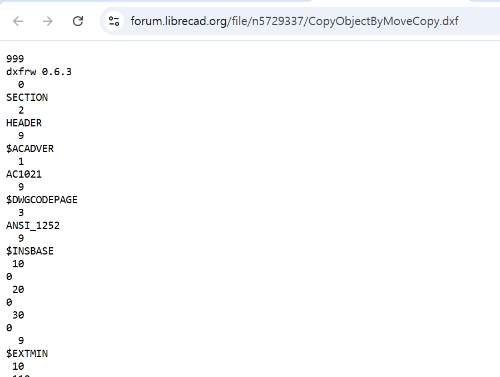
I have seen several posts in this forum where DXF files were attached for discussion, and I have also attached DXF files myself when asking questions. However, in every case I have never been able to download the attached DXF files. When I click on the attached DXF file, instead of downloading, a new browser window opens and I only see a very long text ending with “EOF.” My environment is Windows 11.
- - - - - - - - - - - - - - - - -
EDIT Same day. 20 minutes later.
I copied all the text displayed in the web browser and pasted it into Notepad, then saved it with the .dxf extension. When saving, the encoding method was set to UTF-8—I don’t know what that means, but I left it as it was. Afterwards, I opened the newly saved DXF file in LibreCAD and confirmed that it opened normally.
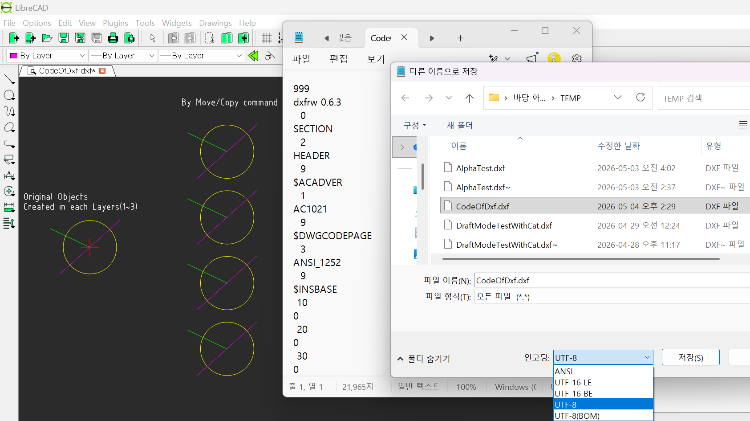
More simply (in the case of Windows), you can just right‑click in the text area shown in the web browser and choose “Save as...” to directly download it as a DXF file.


 Locked