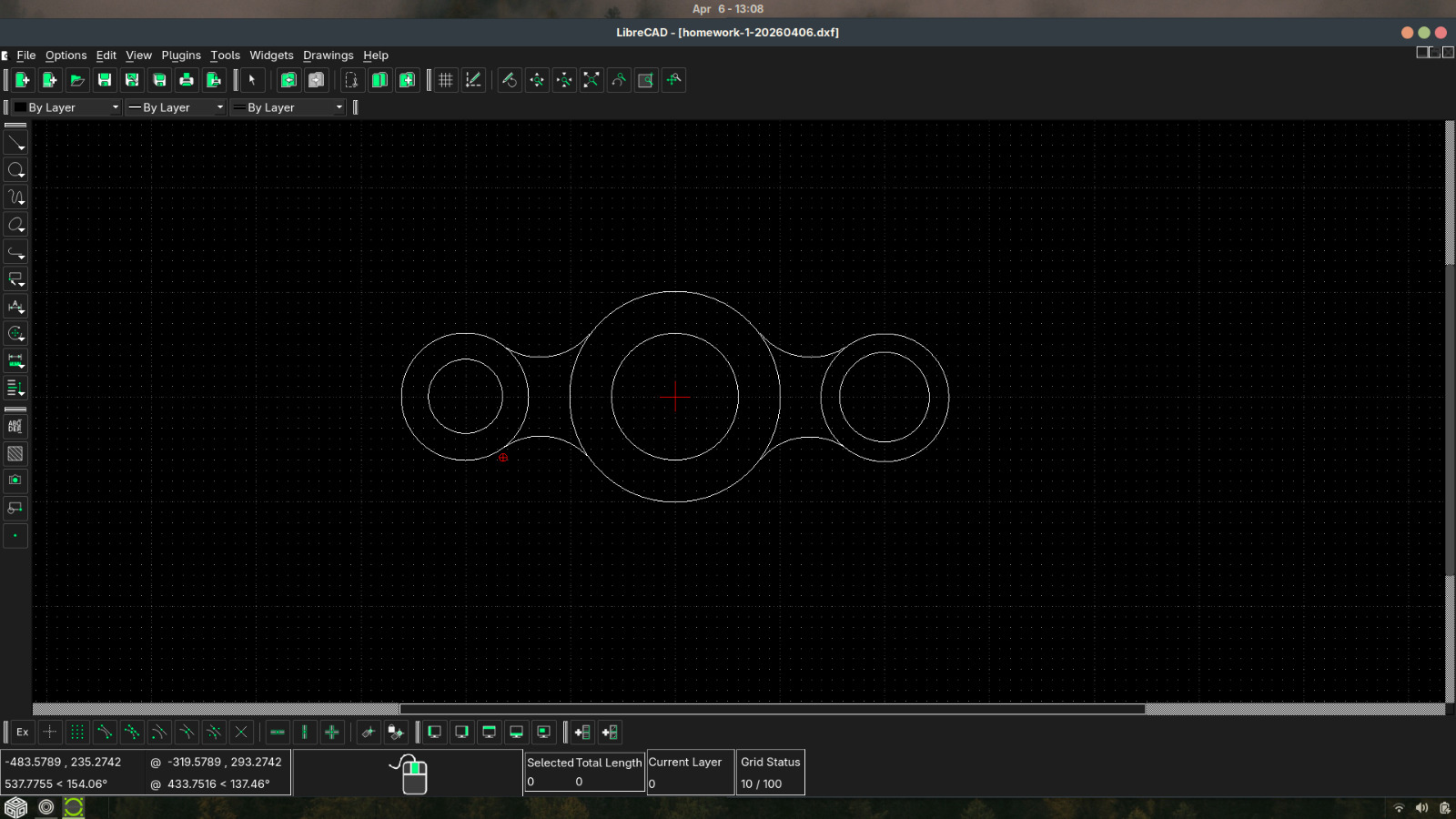
How to remove a specific part of an entity

Next Topic
 
classic Classic list List threaded Threaded
3 messages Options
Reply | Threaded
Open this post in threaded view
|

How to remove a specific part of an entity

AtAyoub

Hello, I'm learning about CAD, one of the projects i have is the inage above.
I'm stuck at the stage of removing the side of the circle of which there are arcs, to open up the two circles to each other.

However i tried trim, trim two and divide but i don't know how.
I watched online guides how to use the tools but still didn't work.

Can anyone help me?
Reply | Threaded
Open this post in threaded view
|

Re: How to remove a specific part of an entity

AtAyoub
Also if somebody knows a new full guide on librecad since what i find would either be very old or hard to understand since i want to learn how to do precise drawing.

Thanks in advance.
Reply | Threaded
Open this post in threaded view
|

Re: How to remove a specific part of an entity

dellus
The most elegant method would be to use Tools - Modify - Break/Divide. But it seems not to work in all cases.
What will work in any case is to use Tools - Modify - Divide first to break up the circles at the desired points. This needs to have Snap Intersection activated. Anyway it is most times necessary to have several snaps on, Endpoints, Intersection, and Free Snap at least. Try out others also.
Then you can delete the part to be removed.

This is the latest online manual https://docs.librecad.org/
 
This is an older but nice and useful guide to learn basics: https://heikell.fi/downloads/LibCAD_220rc1.pdf