Lines thickness

Next Topic
 
classic Classic list List threaded Threaded
5 messages Options
Reply | Threaded
Open this post in threaded view
|

Lines thickness

roberto fabbri
Hi All.
I'm Roberto.
I have a problem with the lines' thickness of a draw I've made.
It represents a sofa from 2 views, top and front.
In the beginning both the views had lines with different thickness.
I went on Widgtes>Dock Widgets>Levels list, I clicked on the last icon on the right, I choosed the level
and the top view was OK. Not the front one.
I realized I was in "draft mode", therefore I exited "draft mode" and re-selected the thickness, but nothing changed.
Whan I copied the front view I saw that Librecad firstly selected only the thick lines, despite later it copied all the front sofa. Maybe this can help?
I tried to upload an image, both with "insert image" and "upload a file", but i couldn't.
I don't know what else I can try.
Thank you very much in advance for all the help you can give me, guys.
Roberto
Reply | Threaded
Open this post in threaded view
|

Re: Lines thickness

dellus
Maybe a layer accidentally is locked (black lock symbol in layer list). It can't be selected and copied then nor the line thickness changed.
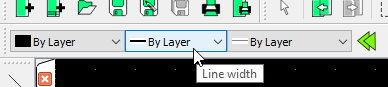
Maybe line thickness has been defined directly in pen properties and not as by layer. Then changing pen thickness in layer attributes has no effect on them.
Best is to try again to upload the file. After having selected the file you have to press "Upload file" again, you may have missed that.
Reply | Threaded
Open this post in threaded view
|

Re: Lines thickness

roberto fabbri
Hi Dellus.
I pressed "Upload file" after choosing it, actually, but they simply appeared the words here below...

scan_spessori.jpg

The layer doesn't seem locked (the padlock picture is grey and not black).
I shouldn't know were to find the pen properties....
Best
Roberto
Reply | Threaded
Open this post in threaded view
|

Re: Lines thickness

roberto fabbri
Ooopsss, it loaded.....
Reply | Threaded
Open this post in threaded view
|

Re: Lines thickness

dellus
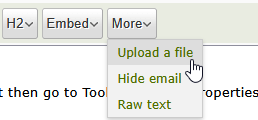
I meant to upload the dxf-file... Go to More... in the browser.

Select a line you want to change by clicking on it then go to Tools - Modify - Properties. What does it say? You can change the properties here.

These are the pen properties:

When being drawn lines get these properties.