Downscaling Pictures, didnt find an solution
Posted by danikuettel on
URL: https://forum.librecad.org/Downscaling-Pictures-didnt-find-an-solution-tp5714079.html
Greetings to everyone
I searched in Google, in the Forum and in the FAQ from Libre CAD, but I didnt find the answer i need so importantly.
First i have to apologise for my bad english, but Im living in switzerland.
Background:
We are in a middle of an Project, and we want to sell Avonite Lamps. The Lamps have different scales:
Big lamp: 2.38m x 0.76m
Middle lamp: 1.0m x 0.76m
Little lamp: 0.35m x 0.35m
We are drawing different pictures in JPEG, we format it to DXF and we clear up the lines, splines etc with libreCAD.
Problem:
Our biggest problem is, that my pictures in DXF are soooo huge. Sometimes 1m x 1m, but the Picture should be somewhere 20cm. The Problem here is, that the distance of the lines should be 6mm, because the CNC Millingmachine has some problems with the Avonite material. When I watch the distances of the lines, then they are all well, but when the carpenter resize the picture to the right size, then the radius of the lines are only 2-3mm, and that doesnt work.
Question for Solutions:
1. How i can rescale an picture to my wanted scales? (I dont want to print it, only the Size must be correct)
2. How i can set the grid form the beginning to mm, and how i see, that my Picture is not again 1m?
3. Is there no possibelity to set a fix size for the Grid in the Background, so i can see, if my pictures has the right size?
Sorry for the questions, and sorry if there allready an link to an Topic with a Solution, but i didnt find it, and the Problem is really a matter to me.
Thanks for any tips and tricks and solution, I appreciate it really.
Greetings from Switzerland.
Daniel
PS:
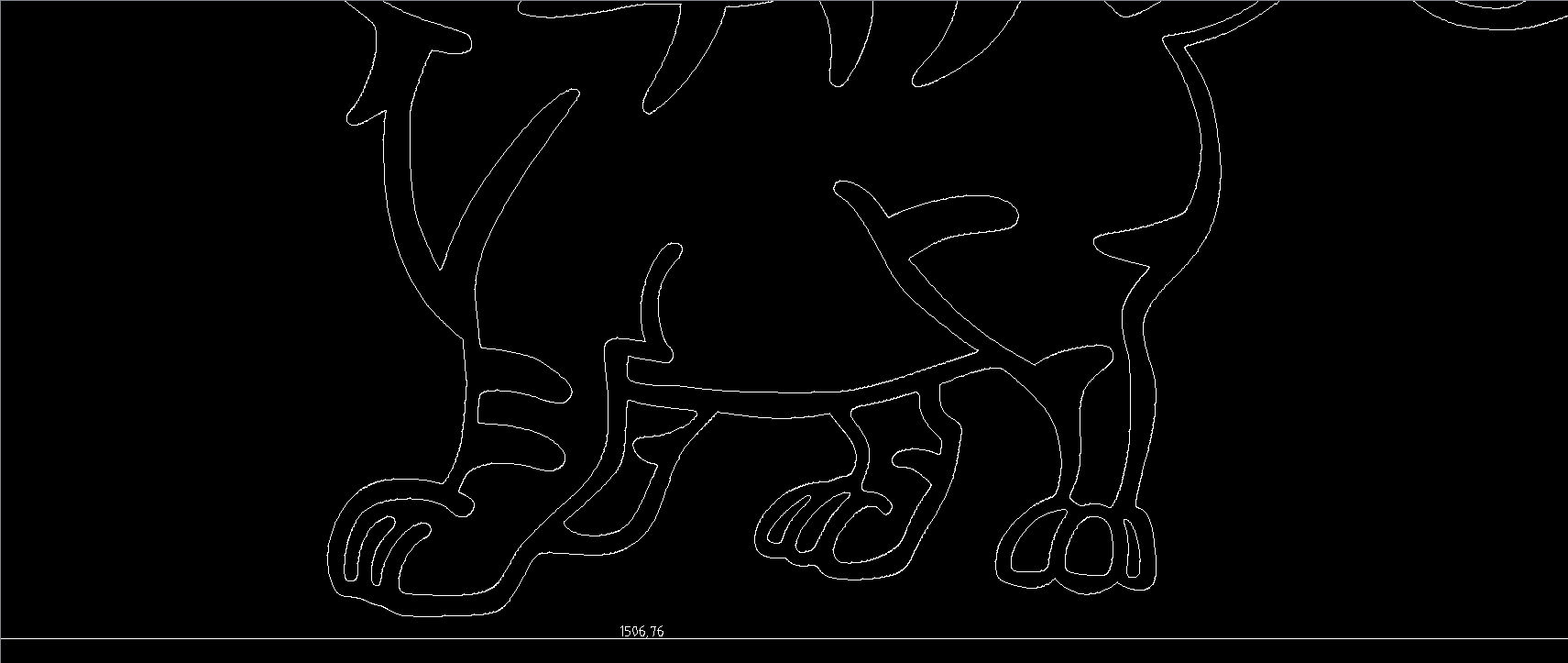
And here is the DXF sight of the Cat in Libre CAD, the cats with is 1.5m :o((
URL: https://forum.librecad.org/Downscaling-Pictures-didnt-find-an-solution-tp5714079.html
Greetings to everyone
I searched in Google, in the Forum and in the FAQ from Libre CAD, but I didnt find the answer i need so importantly.
First i have to apologise for my bad english, but Im living in switzerland.
Background:
We are in a middle of an Project, and we want to sell Avonite Lamps. The Lamps have different scales:
Big lamp: 2.38m x 0.76m
Middle lamp: 1.0m x 0.76m
Little lamp: 0.35m x 0.35m
We are drawing different pictures in JPEG, we format it to DXF and we clear up the lines, splines etc with libreCAD.
Problem:
Our biggest problem is, that my pictures in DXF are soooo huge. Sometimes 1m x 1m, but the Picture should be somewhere 20cm. The Problem here is, that the distance of the lines should be 6mm, because the CNC Millingmachine has some problems with the Avonite material. When I watch the distances of the lines, then they are all well, but when the carpenter resize the picture to the right size, then the radius of the lines are only 2-3mm, and that doesnt work.
Question for Solutions:
1. How i can rescale an picture to my wanted scales? (I dont want to print it, only the Size must be correct)
2. How i can set the grid form the beginning to mm, and how i see, that my Picture is not again 1m?
3. Is there no possibelity to set a fix size for the Grid in the Background, so i can see, if my pictures has the right size?
Sorry for the questions, and sorry if there allready an link to an Topic with a Solution, but i didnt find it, and the Problem is really a matter to me.
Thanks for any tips and tricks and solution, I appreciate it really.
Greetings from Switzerland.
Daniel
PS:
And here is the DXF sight of the Cat in Libre CAD, the cats with is 1.5m :o((
| Free forum by Nabble | Edit this page |