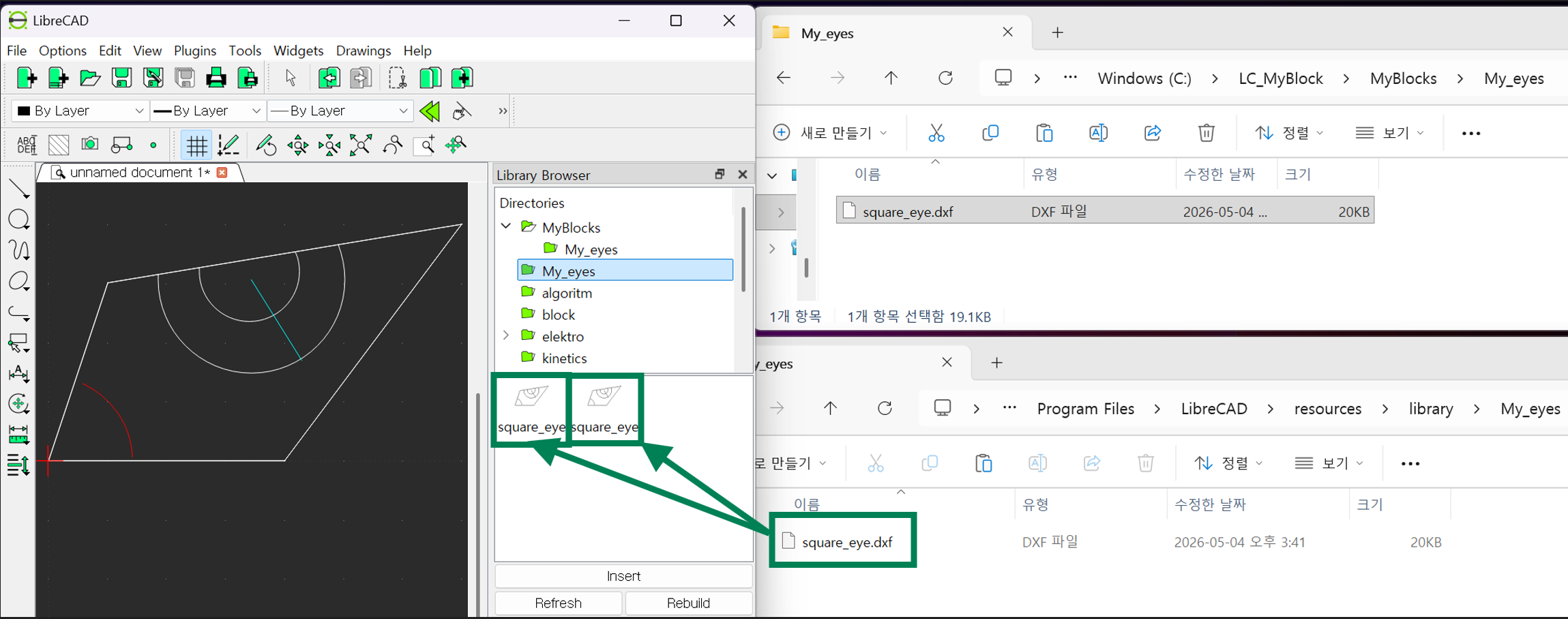
The blocks in the LibreCAD resource folder’s library show up twice in the preview window of the Library Browser.
Even when I place a custom block (square_eye.dxf) into a subdirectory under resources > library, it also appears twice.
However, if I put this block in a location outside the LibreCAD resource subdirectory, it shows up only once in the preview window.
It seems natural and expected that a single block file should appear only once in the preview. So I’m wondering why the blocks in the resource subdirectory’s library are displayed twice.
- - - - - - - - - - - -
LC 2.2.1.5
Windows11


 Locked