Copy paste problem in LibreCAD-v2.2.1.3

Previous Topic Next Topic
 
classic Classic list List threaded Threaded
8 messages Options
Reply | Threaded
Open this post in threaded view
|

Copy paste problem in LibreCAD-v2.2.1.3

onur
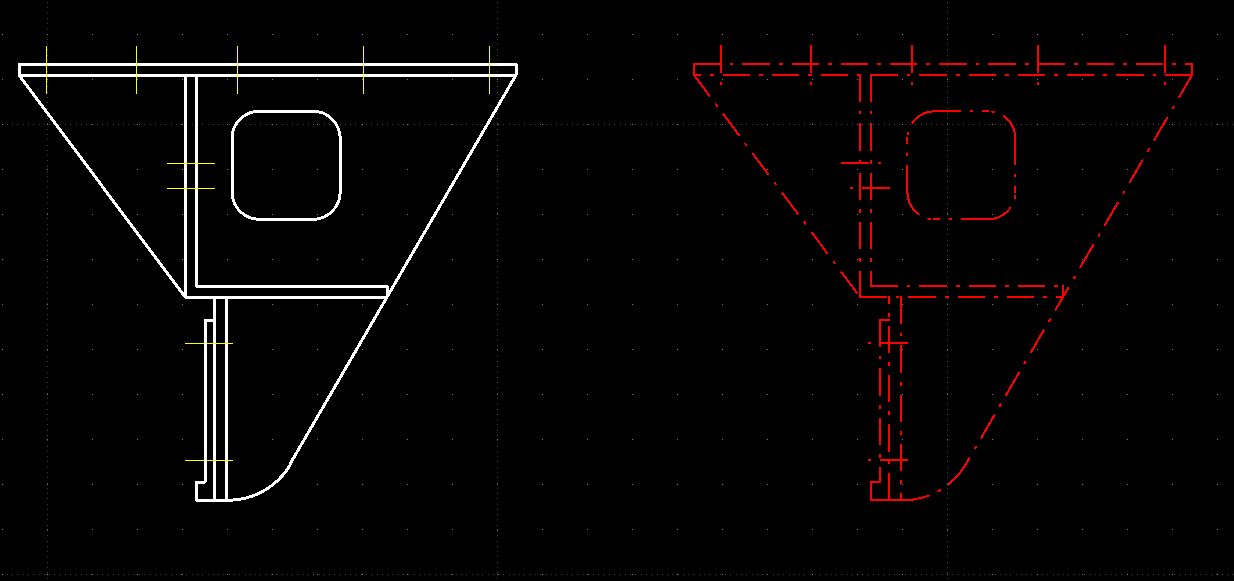
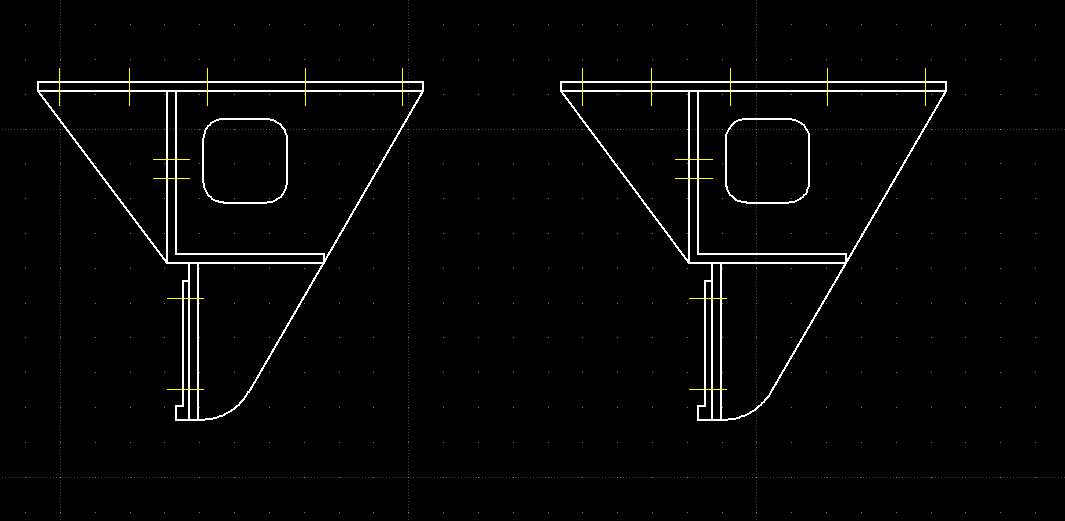
I just install LibreCAD-v2.2.1.3 and copy paste works not expected. Pasted objects always much smaller than original. I downgraded to LibreCAD-v2.2.1.2-14 and its working as usual.

To reproduce just draw a circle and try to paste it to the same drawing.

Thanks.
onur
Reply | Threaded
Open this post in threaded view
|

Re: Copy paste problem in LibreCAD-v2.2.1.3

dxli
I will look into this one.

Looks like 2.2.1.4 is expected sooner than expected.

onur wrote
I just install LibreCAD-v2.2.1.3 and copy paste works not expected. Pasted objects always much smaller than original. I downgraded to LibreCAD-v2.2.1.2-14 and its working as usual.

To reproduce just draw a circle and try to paste it to the same drawing.

Thanks.
onur
Reply | Threaded
Open this post in threaded view
|

Re: Copy paste problem in LibreCAD-v2.2.1.3

dxli
In reply to this post by onur
hi onur,

could you provide detailed steps to reproduce this issue?

Tools > Modify > Move/Copy works smoothly here.

onur wrote
I just install LibreCAD-v2.2.1.3 and copy paste works not expected. Pasted objects always much smaller than original. I downgraded to LibreCAD-v2.2.1.2-14 and its working as usual.

To reproduce just draw a circle and try to paste it to the same drawing.

Thanks.
onur
Reply | Threaded
Open this post in threaded view
|

Re: Copy paste problem in LibreCAD-v2.2.1.3

onur
hi dxli,

Sorry, I should have done that in the first place. You're right. MOVE/COPY command works correct. I was using Copy(CTRL+C) and Paste(CTRL+V) from Edit toolbar.

I'm new to CAD and LibreCAD, so sorry if this is a rookie mistake.
Reply | Threaded
Open this post in threaded view
|

Re: Copy paste problem in LibreCAD-v2.2.1.3

dxli
Ctl-C/Ctl-V needs some fixes.

@sand1024, just wondering whether you can look into this one.

2.2.1.4 should be released after this one is fixed.

onur wrote
hi dxli,

Sorry, I should have done that in the first place. You're right. MOVE/COPY command works correct. I was using Copy(CTRL+C) and Paste(CTRL+V) from Edit toolbar.

I'm new to CAD and LibreCAD, so sorry if this is a rookie mistake.
Reply | Threaded
Open this post in threaded view
|

Re: Copy paste problem in LibreCAD-v2.2.1.3

flywire
In reply to this post by onur
onur wrote
MOVE/COPY command works correct. I was using Copy(CTRL+C) and Paste(CTRL+V) from Edit toolbar.

I'm new to CAD and LibreCAD, so sorry if this is a rookie mistake.
Normally Copy(CTRL+C) current object, use can move (even to different application), and Paste(CTRL+V).

First impression feedback is great, obviously regular users can't do it.
Reply | Threaded
Open this post in threaded view
|

Re: Copy paste problem in LibreCAD-v2.2.1.3
dxli
In reply to this post by onur
I have fixed Ctl-C/Ctl-V in 2.2.1 the branch. The 2.2.1.4 release is expected soon.

onur wrote
hi dxli,

Sorry, I should have done that in the first place. You're right. MOVE/COPY command works correct. I was using Copy(CTRL+C) and Paste(CTRL+V) from Edit toolbar.

I'm new to CAD and LibreCAD, so sorry if this is a rookie mistake.
Reply | Threaded
Open this post in threaded view
|

Re: Copy paste problem in LibreCAD-v2.2.1.3

onur
Hi Dongxu Li,

I've test this release, and still get much smaller copy of the original object.

Version: v2.2.1.3-4-g35be9afde
Compiler: Microsoft Visual C++
Compiled on: Jan 24 2026
Qt Version: 5.15.2
Boost Version: 1.87.0
System: Windows 10 Version 2009