Hello, LibreCAD

Previous Topic Next Topic
 
classic Classic list List threaded Threaded
3 messages Options
Reply | Threaded
Open this post in threaded view
|

Hello, LibreCAD

Urstein
"Hello! I’m based in South Korea and work on various projects using tools like welders, soldering irons, computers, and Arduinos. Although it was quite challenging, I’ve been learning FreeCAD since around the release of version 1.0 and have been gratefully applying it to my work.

For 2D drafting, I’ve typically used AutoCAD or compatible programs, but since FreeCAD recommends LibreCAD, I’ve recently started learning it. Once I become familiar with LibreCAD, I would like to introduce it to other friends as well.
My English is not very good.
Reply | Threaded
Open this post in threaded view
|

Re: Hello, LibreCAD

dxli
Hi Urstein,

We will release 2.2.1.5 soon with better GUI language support. Please also help us improve the translations by reporting back issues.

The latest continuous builds with Korean translations can be found at

https://github.com/LibreCAD/LibreCAD/releases/tag/2.2.1-latest

Just select the application interface language in "Application Options" and restart the app.


Urstein wrote
"Hello! I’m based in South Korea and work on various projects using tools like welders, soldering irons, computers, and Arduinos. Although it was quite challenging, I’ve been learning FreeCAD since around the release of version 1.0 and have been gratefully applying it to my work.

For 2D drafting, I’ve typically used AutoCAD or compatible programs, but since FreeCAD recommends LibreCAD, I’ve recently started learning it. Once I become familiar with LibreCAD, I would like to introduce it to other friends as well.
My English is not very good.
Reply | Threaded
Open this post in threaded view
|

Re: Hello, LibreCAD

Urstein
Thank you for your kind reply.
A few days ago, I installed version 2.2.1.4 (https://github.com/LibreCAD/LibreCAD/releases/tag/v2.2.1.4). Following your advice, I changed the GUI language setting to Korean and rebooted, but the GUI still displays in English.
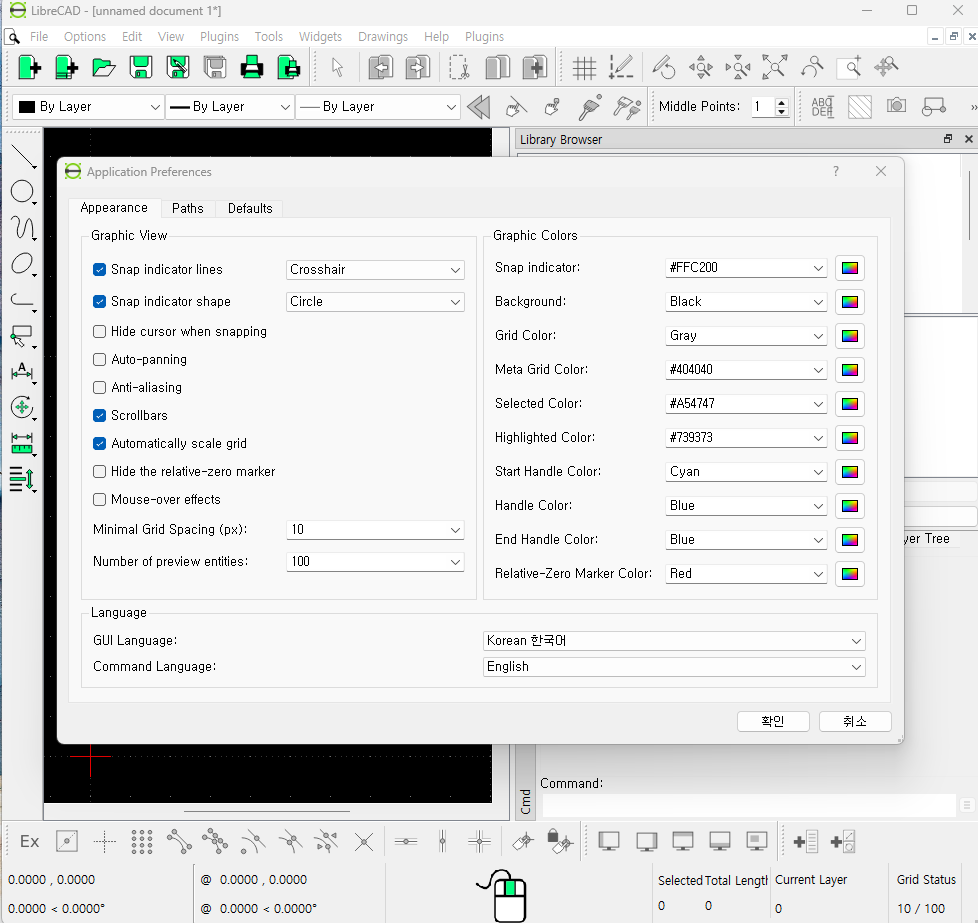

I suspected this might be because it was different from the latest version you mentioned, so I uninstalled that version and installed 2.2.1-latest instead. However, this time the newly installed LibreCAD does not run at all.
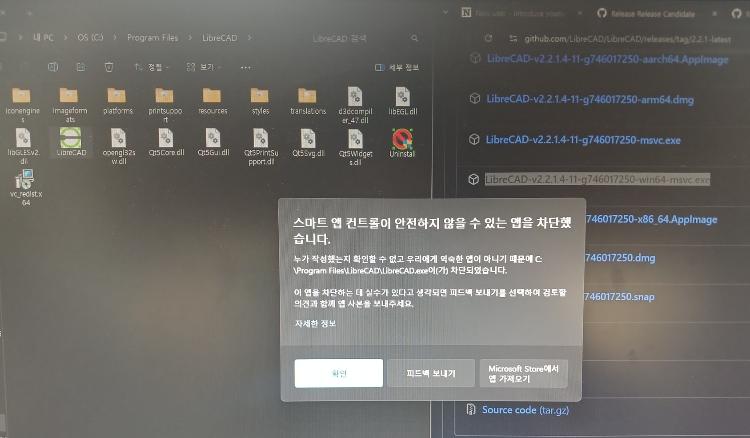

Windows security shows a message that Smart App Control has blocked the app, judging it as unsafe and from an unknown publisher.

P.S.
1. My PC’s OS is Windows 11.
2. The warning screen from Smart App Control cannot be captured, so I took a photo and uploaded it.