|
Hi all,
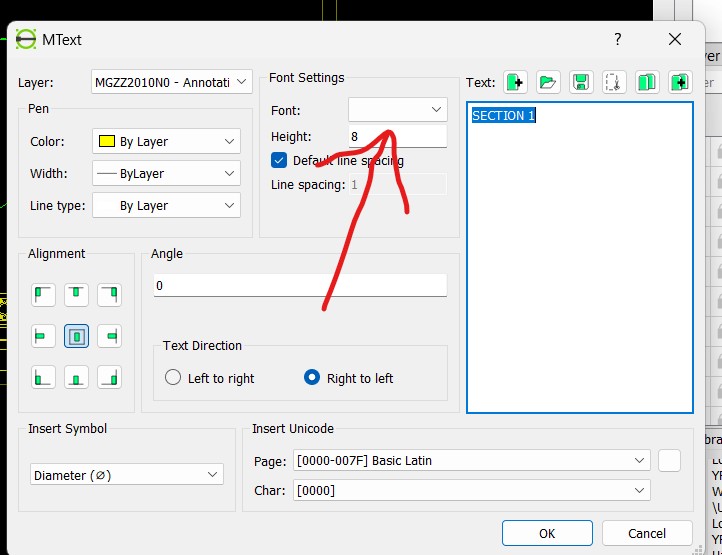
I have installed the new version, and it works great. However, I’m having problems editing hatches and texts created with an older version of LibreCAD. The hatches and texts are all there, but when I try to edit them, they get cleared. I’ve noticed that pressing Enter in the text edit menu doesn’t show the font, and the hatches also appear strange. Does anyone know the reason for this? Thanks!
|
|
For text, can you select a new font from the dialog. Also, go to Edit > application preferences > Paths to set the font path, if no font is available for selection in the dialog.
For hatching, the 2.2.1 is still using the legacy algorithm with some bug fixes. You may also try the new algorithm in 2.2.2-alpha. Contour editing is not supported for the new algorithm though.
|
|
Thanks for helping me!
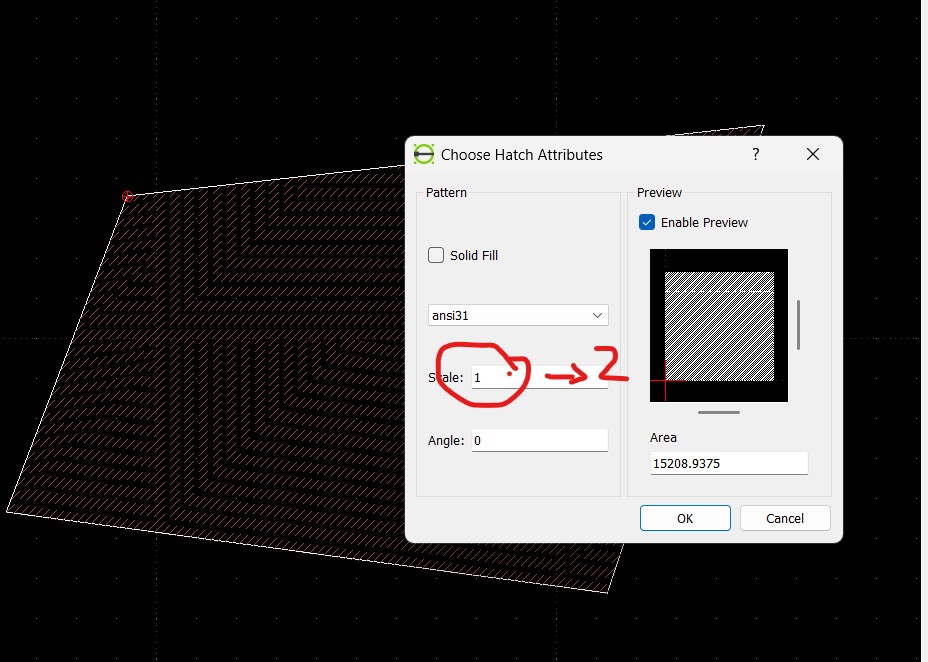
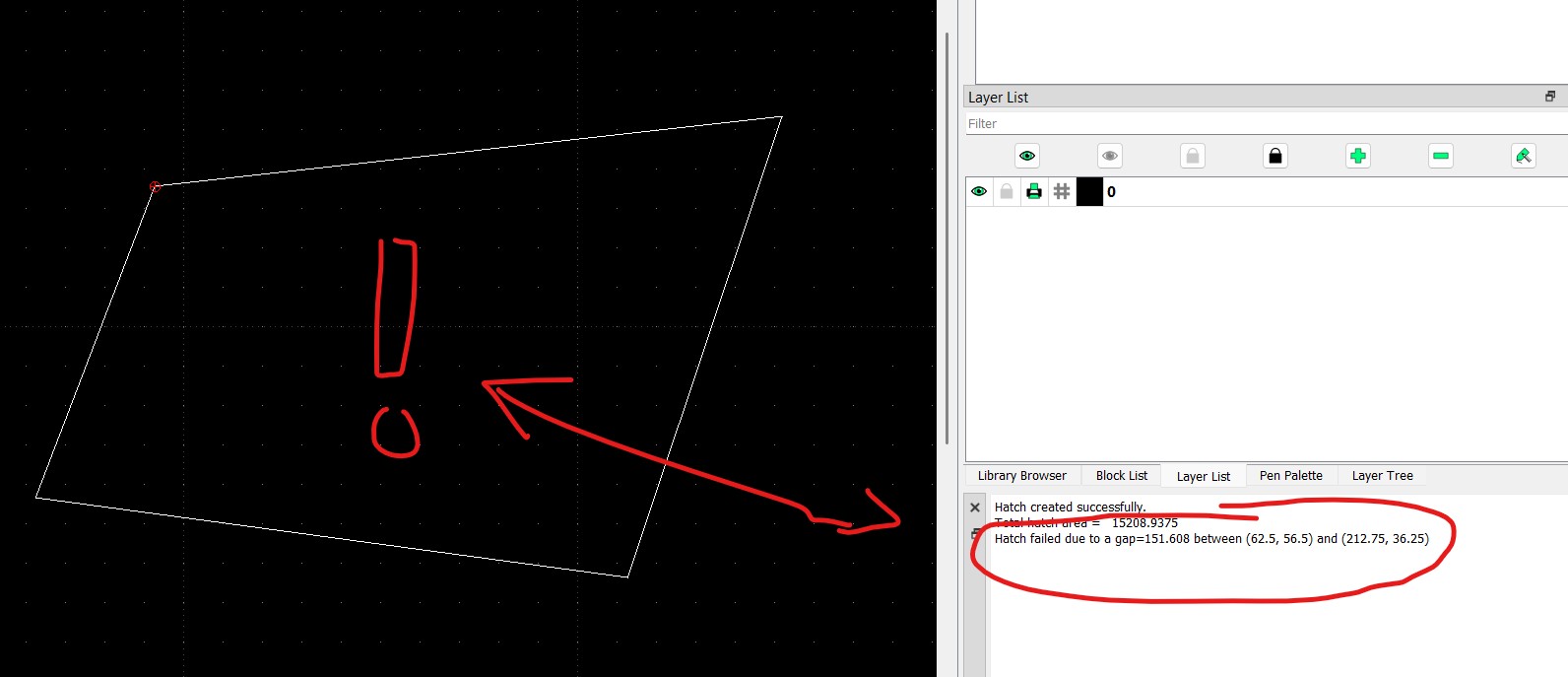
Help me please to understand how I can use the latest librecad version with hatching. This is what I found with a very simple trial: 1. I draw with the line command a closed poli using snap, 100% close. Selecting the lines the hatch works like I was used to see. Only weird stuff here is that the default selection of the hatch type menu is emply, need to perform a selection to have it work 2. I edit the hatch, double click on it or with properties button, edit window show up as usual, changing the scale value from 1 to 2 and click ok 3. Hatch fail, and the prompt show that it is because there is a gap between the lines Now, I understand from your reply that this is what you expect, but how can I have a stable way to generate hatches in my drawings? This is the only routing I know to add hatches for generating the sections in the mechanical drawings and edit the scale or change the angle is a very very common part of my tasks, so I am wondering if I need to change the method to generate them now Can you suggest me anything to continue? ![]() ![]()
|
|
2.2.1 is supposed to work with simple contours. 2.2.2 should work for complex topology
1, please verify your hatching pattern folder is valid with pattern dxf files; 2, if that doesn't work, please upload a minimum dxf with the issue here, or create an issue at our GitHub page.
|
|
This post was updated on .
Hi dxli, thank you
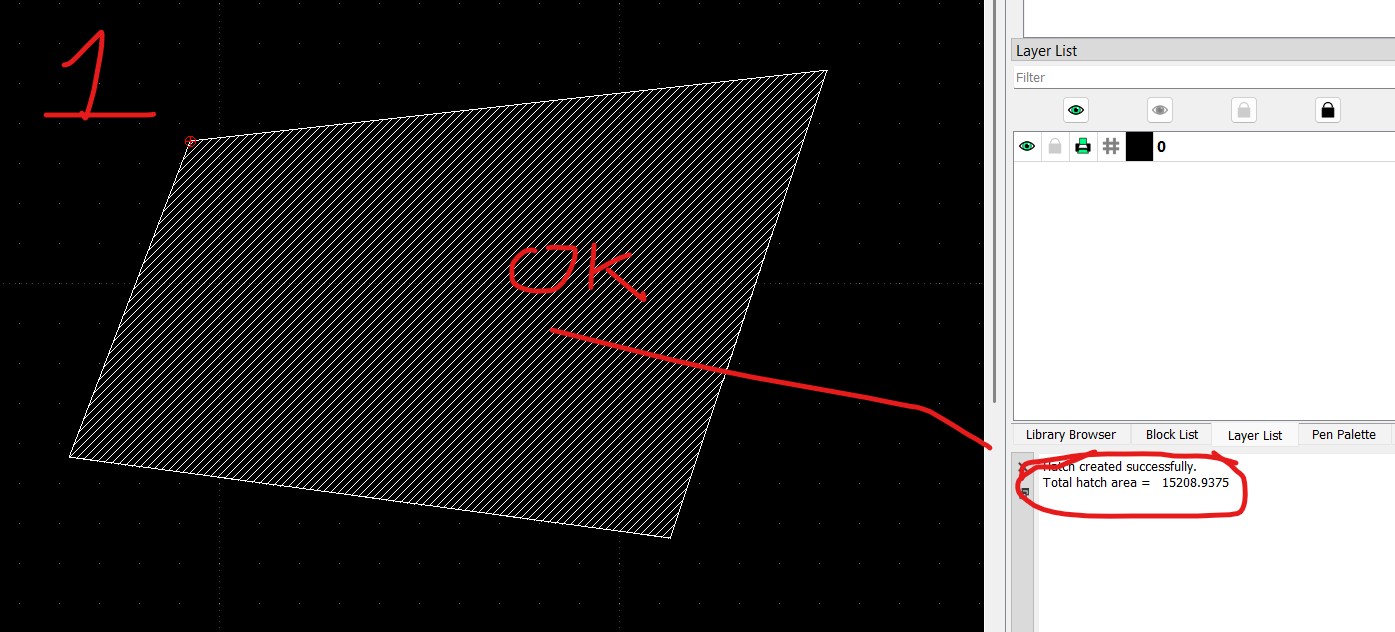
I am more than happy to open an issue on the GitHub page, but before doing so, could you please check my file and see whether you experience the same problem? The issue I am facing with text and hatching is so strange that I suspect it might be related to my local installation rather than the CAD release itself. As absurd as it sounds, I wanted to rule this out first. I have also attached a short video showing exactly what I am doing. Thank you in advance for your support. Recording of the issue: Recording_2025-12-25-1.mp4 dxf file used for the recording: test20251225.dxf Thanks again UPDATE!!!! 20251229 The issue seems to be related to version 2.2.1.2. I installed version 2.2.1, and the hatch works properly. I still need to understand why the text is affected, but it can be resolved by reselecting the font for all existing text. |
| Free forum by Nabble | Edit this page |