Rotate with reference endpoint to endpoint

Previous Topic Next Topic
 
classic Classic list List threaded Threaded
7 messages Options
Reply | Threaded
Open this post in threaded view
|

Rotate with reference endpoint to endpoint

Alfisyar
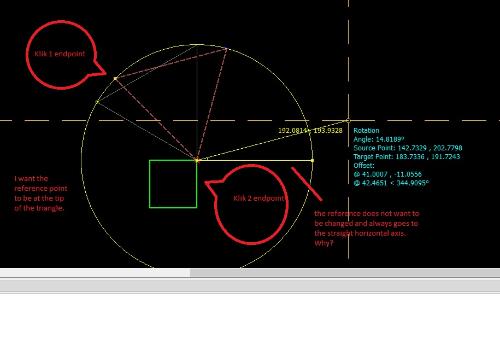
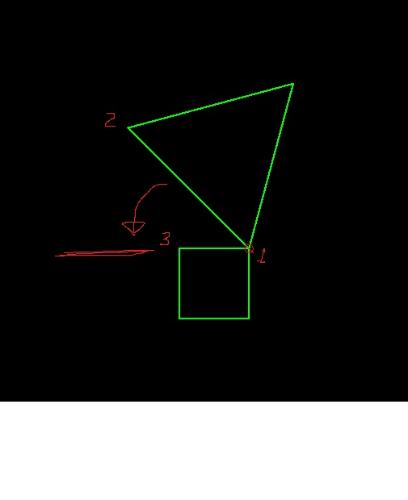
How to rotate a triangle plane with reference point end point to end point with end point of a rectangle plane? Thanks before from me...
Reply | Threaded
Open this post in threaded view
|

Re: Rotate with reference endpoint to endpoint

sand1024
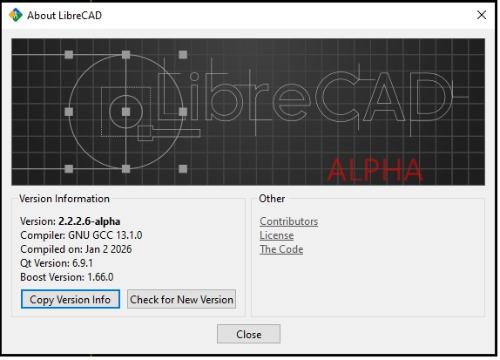
Well, which version of LC do you use?

In general - you need to use Modify -> Rotate command, if I understand you correctly.  
After it's invocation, you just need to follow all hits in the status bar line or (if you on 2.2.2 - of informational cursor).
I.e -
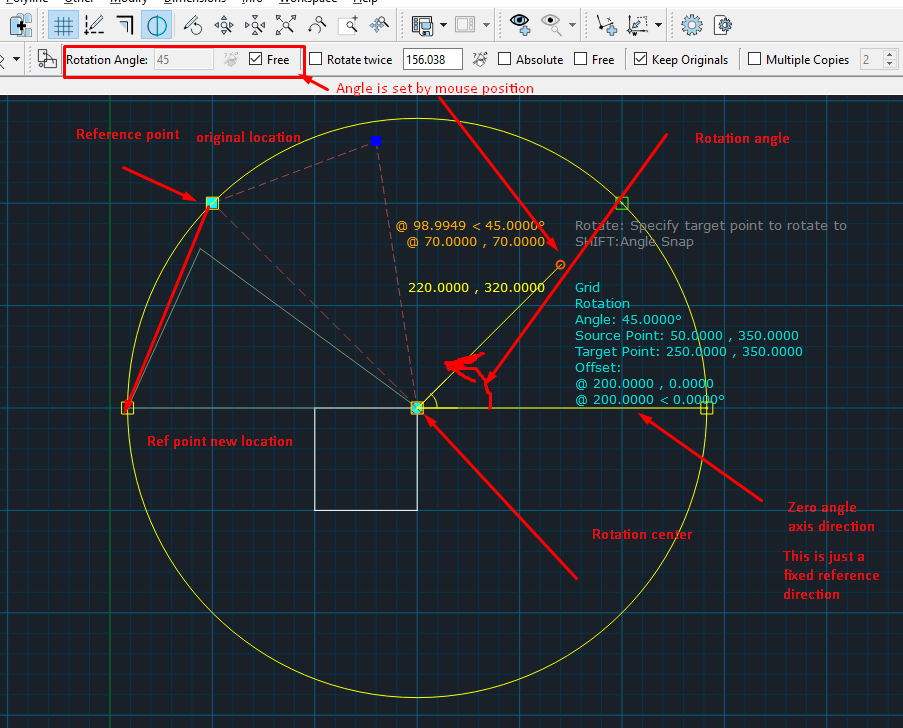
1) First you select your triangle (wether it is polyline or set of lines),
2) After that, you specify rotation center or reference point, and
3) And finally - you should specify the new location of that reference point.

Alternatively, you may specify rotation angle - just follow the command and note the toolbar on top - "Tool Options" that contains various settings for the command.
Reply | Threaded
Open this post in threaded view
|

Re: Rotate with reference endpoint to endpoint

Alfisyar
Problem with LibreCad NewbieProblem with LibreCad NewbieI'm very grateful and thankful that you answered my question. But I don't understand how to use rotation that uses the reference point of the object's tip to the tip of the reference object. How do I do that?
Reply | Threaded
Open this post in threaded view
|

Re: Rotate with reference endpoint to endpoint

Alfisyar
In reply to this post by sand1024
My LibreCad Version, Please help me. Thanks
Reply | Threaded
Open this post in threaded view
|

Re: Rotate with reference endpoint to endpoint

sand1024
Well, actually there are two modes:

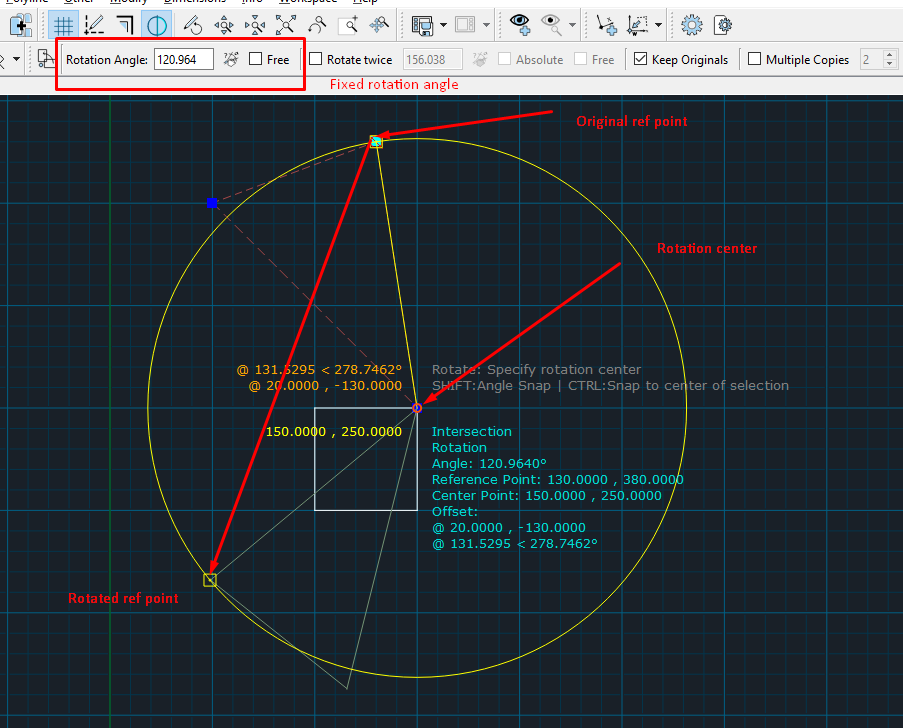
1) rotation angle is free and is defined interactively by the mouse position. The screen you've provided earlier seems to be for that first case.

The fixed horizontal line indicates base 0-angle axis - and so the agle from that axis is used as rotation angle.

In this case - the user should specify original reference point, than location of rotation center - and afterh that - define the rotation angle by mouse.


2) Another case - the angle is provides as fixed numerical value. In such case, the user should specify reference point and the center of rotation.


I hope this helps.

Reply | Threaded
Open this post in threaded view
|

Re: Rotate with reference endpoint to endpoint

sand1024
hm.... I've just reviewed your question and I suspect that probably you've asked not about pure rotation, yet about transformation with aligning reference points? I.e reference point of triangle becomes on reference point of square.

If it is so, you need to use not "rotate" but "Align Reference Points" command.

If works as following:

1) make a selectio (triangle)
2) specify first reference point (original) and first targent point (where original ref point should be)
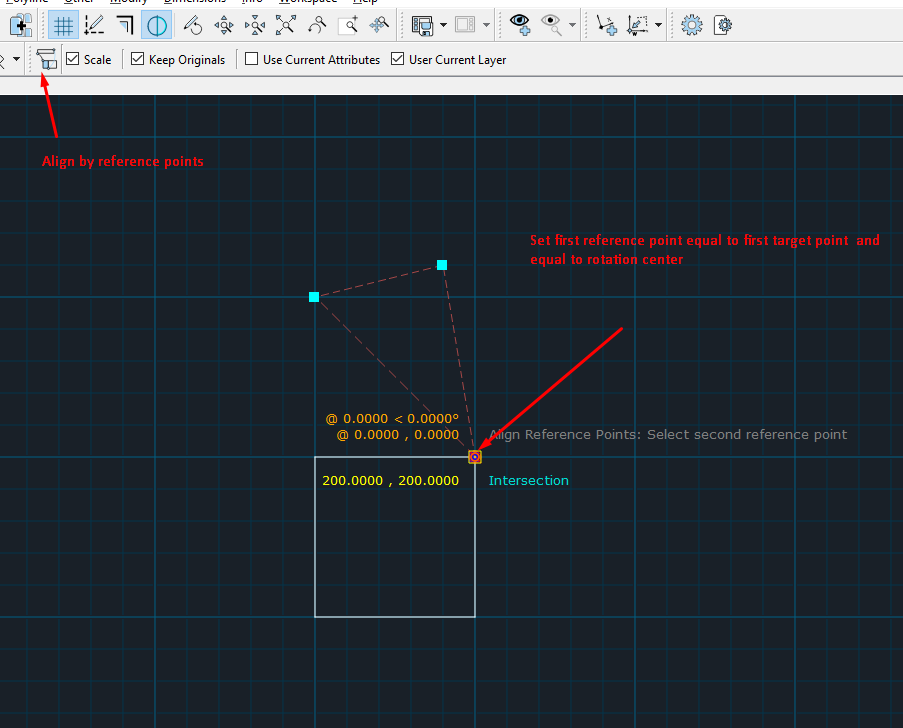


3) Specify second reference point and second target point. First point will be vertex of the triangle, while reference point will be one of vertexes of square.
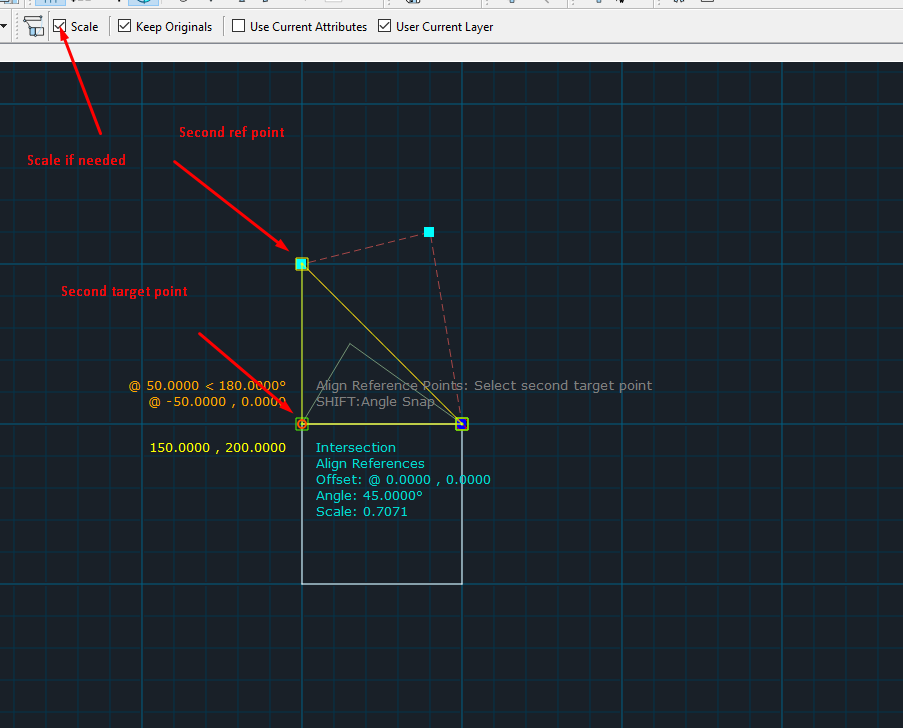


If scaling is enabled - original triangle will be rotated and scaled to ensure that ref points are matched.

If scaling is disabled - the triangle will be just rotated.

Probably this approach is more suitable for your needs.
Reply | Threaded
Open this post in threaded view
|

Re: Rotate with reference endpoint to endpoint

Alfisyar
In reply to this post by sand1024
Thank you very much for your answer. I got a new reference from a command in Librecad. I hope you are always successful and healthy.