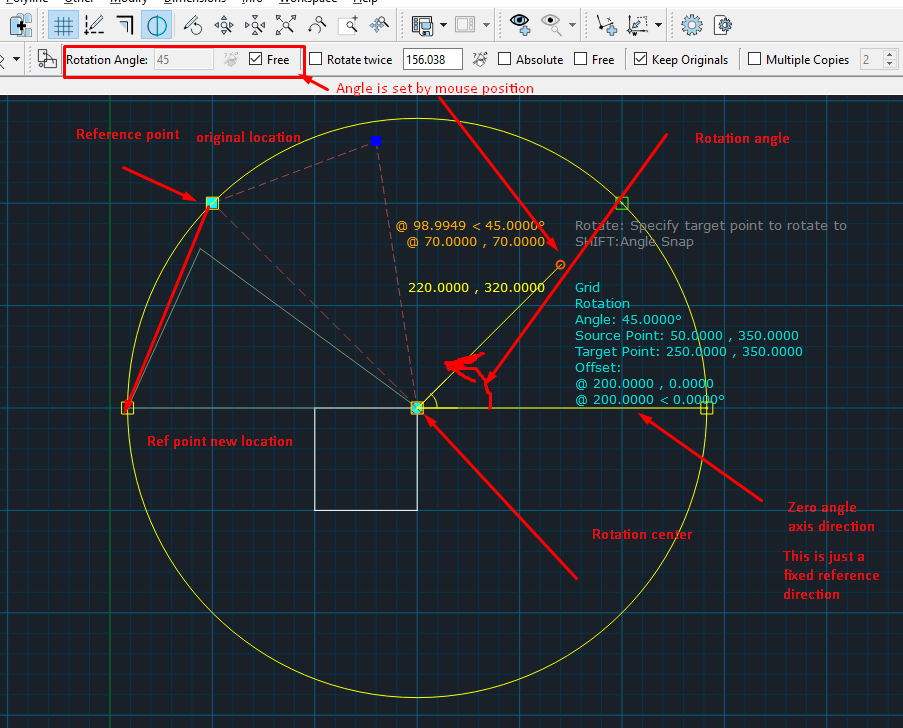
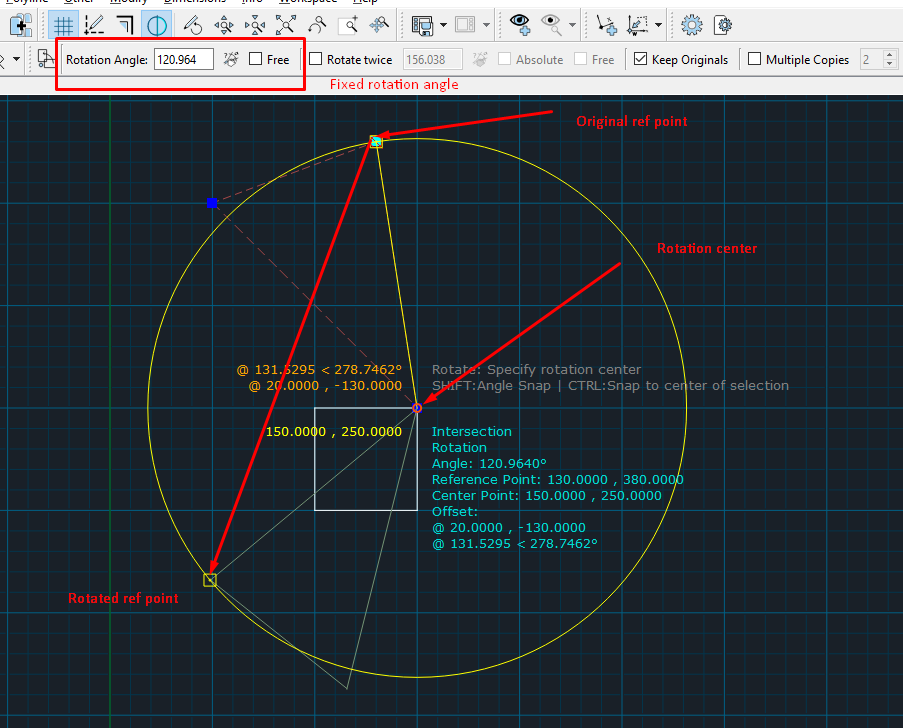
hm.... I've just reviewed your question and I suspect that probably you've asked not about pure rotation, yet about transformation with aligning reference points? I.e reference point of triangle becomes on reference point of square.
If it is so, you need to use not "rotate" but "Align Reference Points" command.
If works as following:
1) make a selectio (triangle)
2) specify first reference point (original) and first targent point (where original ref point should be)
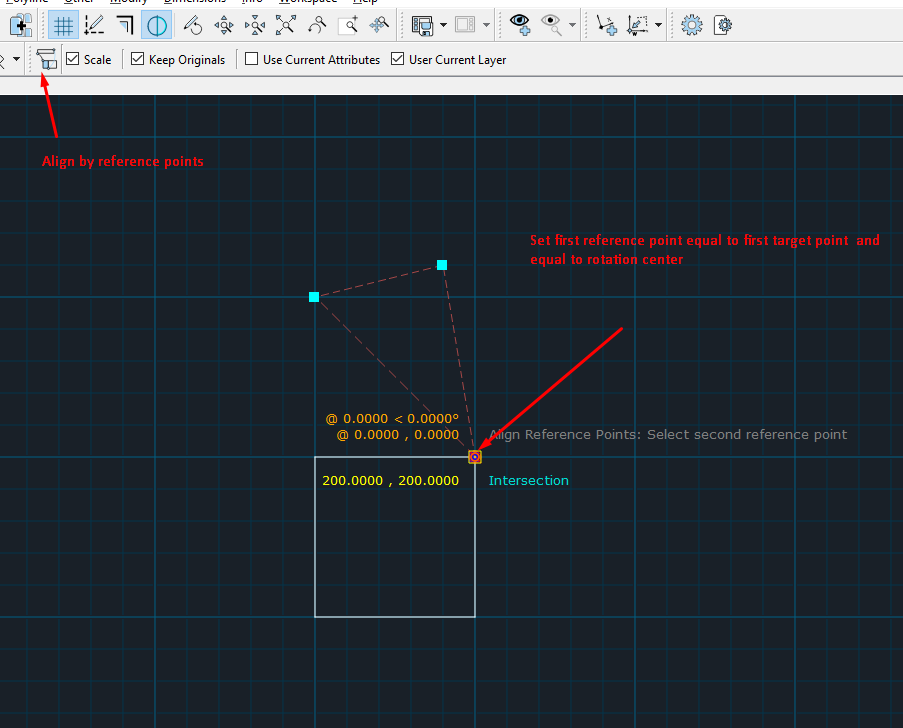
3) Specify second reference point and second target point. First point will be vertex of the triangle, while reference point will be one of vertexes of square.
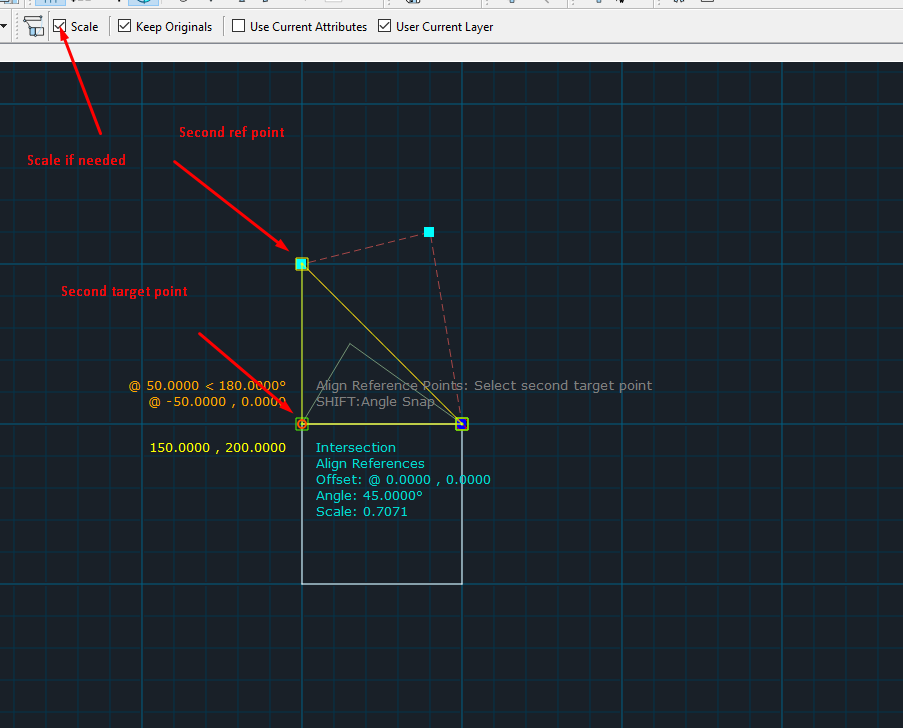
If scaling is enabled - original triangle will be rotated and scaled to ensure that ref points are matched.
If scaling is disabled - the triangle will be just rotated.
Probably this approach is more suitable for your needs.


 Locked





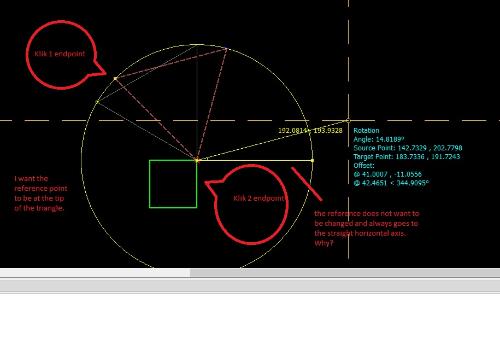
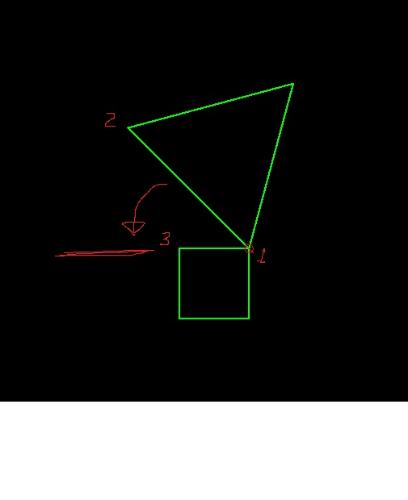 I'm very grateful and thankful that you answered my question. But I don't understand how to use rotation that uses the reference point of the object's tip to the tip of the reference object. How do I do that?