2: if you change unit from mm to inch, your existing radius = 25.4 mm becomes radius=25.4 inch, stead of = 1 inch. Currently, you have to scale everything by a factor of 1/25.4 manually, if needed.
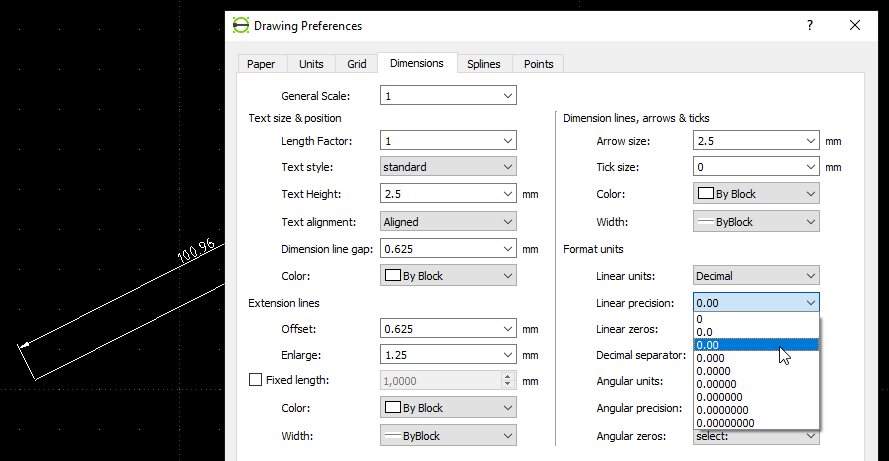
3: Go to Options > Current Drawing Options > Dimensions to set preferences on precision/significant digits etc. for dimensions.
div wrote
1) The LC version is 2.2.1.3 (Linux Mint)
2) Under "Drawing Preferences", selecting "Units", I want to change the "Precision" for both - it changed as I choose, but it don't change in the drawing to my settings from it's default - I don't want that 4 digit precision for length and 2 digit for angle.
3) Please explain what is: "For dimensions, there is own settings that control which units are used in dimensioning entities labels"
PS. Under Windows I used an almost identical software (QCad) with which there wasn't an issue like this (both in metric).
Thank You


 Locked