Re: How to print out a scaled up version of my drawing.
Posted by dxli on
URL: https://forum.librecad.org/How-to-print-out-a-scaled-up-version-of-my-drawing-Solved-tp5712558p5712576.html
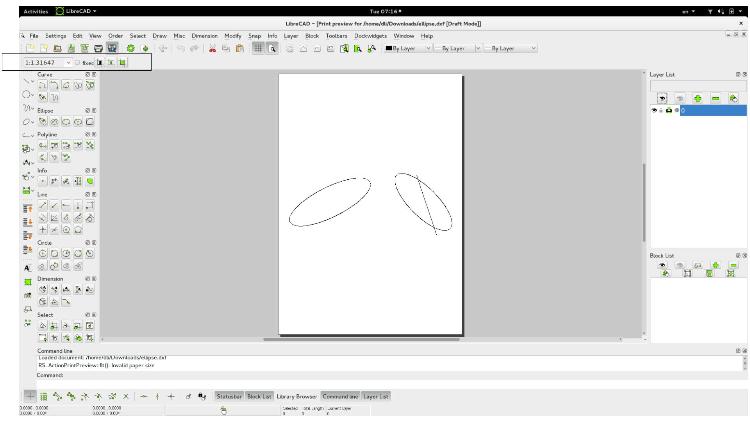
looks like:
1, we really need to do something for toolbar dialogs. They do show up, but many times not conspicuous enough;
2, add a big "Print" section to user manual.
URL: https://forum.librecad.org/How-to-print-out-a-scaled-up-version-of-my-drawing-Solved-tp5712558p5712576.html
looks like:
1, we really need to do something for toolbar dialogs. They do show up, but many times not conspicuous enough;
2, add a big "Print" section to user manual.
| Free forum by Nabble | Edit this page |