No languages except English

Previous Topic Next Topic
 
classic Classic list List threaded Threaded
10 messages Options
smk
Reply | Threaded
Open this post in threaded view
|

No languages except English

smk
Hi.
I just downloaded the latest release for windows from github releases page.
Version: v2.2.1.3-2-g1598766fb
Compiler: Microsoft Visual C++
Compiled on: Jan 11 2026
Qt Version: 5.15.2
Boost Version: 1.87.0
System: Windows 10 Version 2009

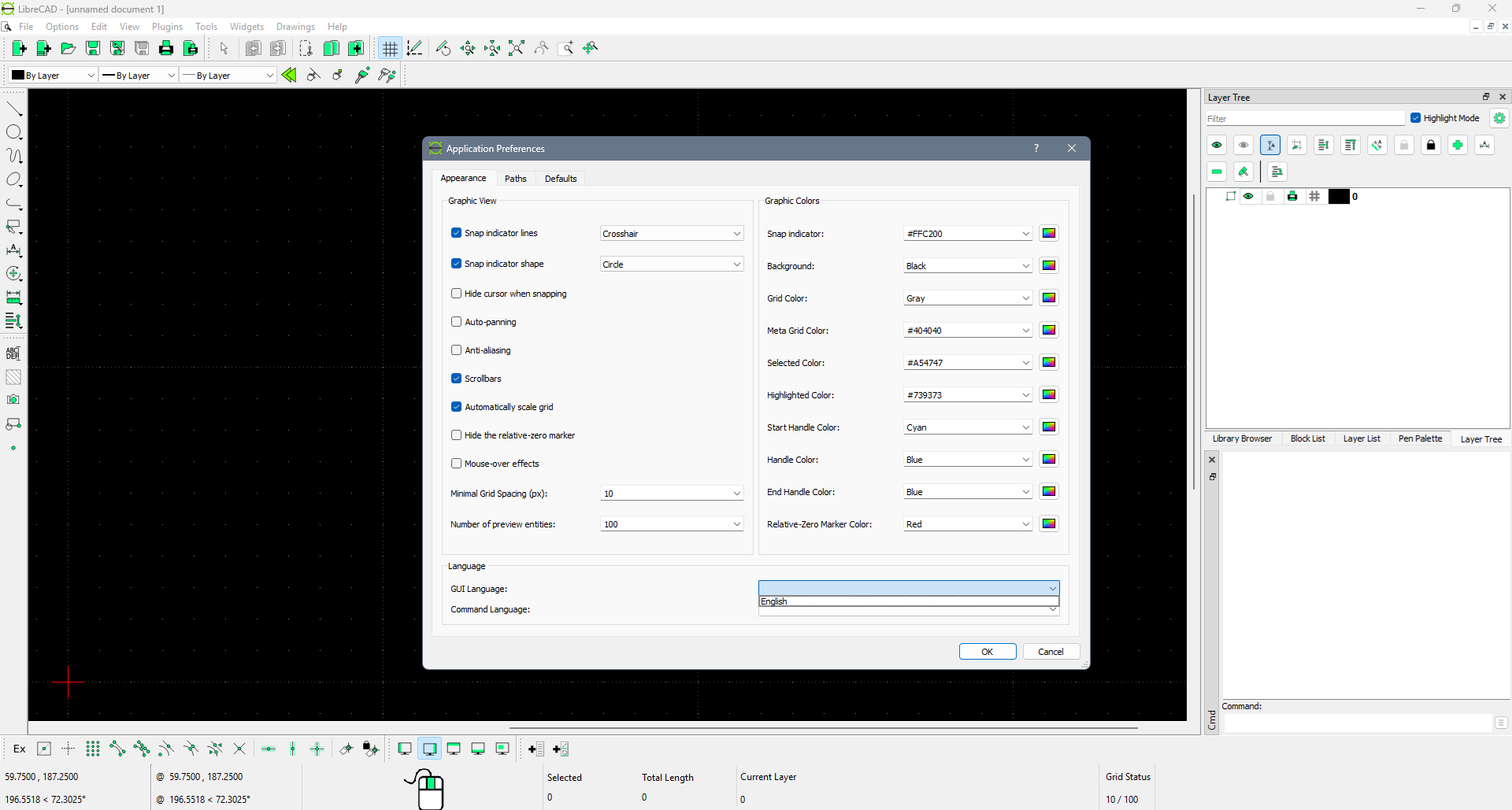
But there are no languages in settings except english:


Tryed on two PC's with windows 10 and 11.
How to fix it?
Reply | Threaded
Open this post in threaded view
|

Re: No languages except English

sand1024
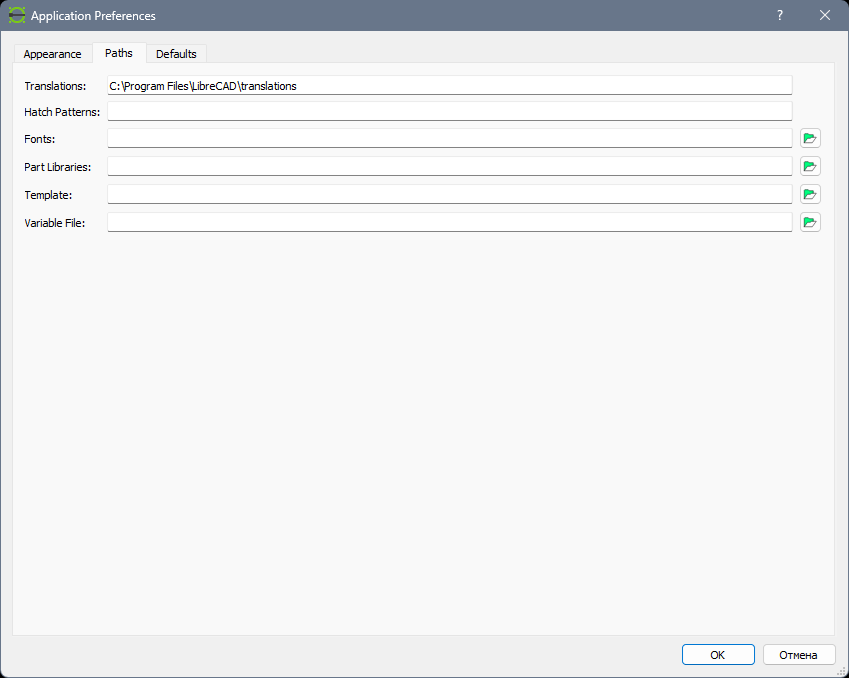
Hm.. I think something mya be wrong with paths settings.

Please check Paths tab - there should be an input that allows you to specify a path to the folder with translations.

Translations are stored in ".qm" files, usually they are in "/translations" sub-folder of LibreCAD installation folder.  So if everything fine - there should be several .qm files.

Try to change the path to translation and restart LibreCAD
smk
Reply | Threaded
Open this post in threaded view
|

Re: No languages except English

smk
I've changed the path, it was empty.

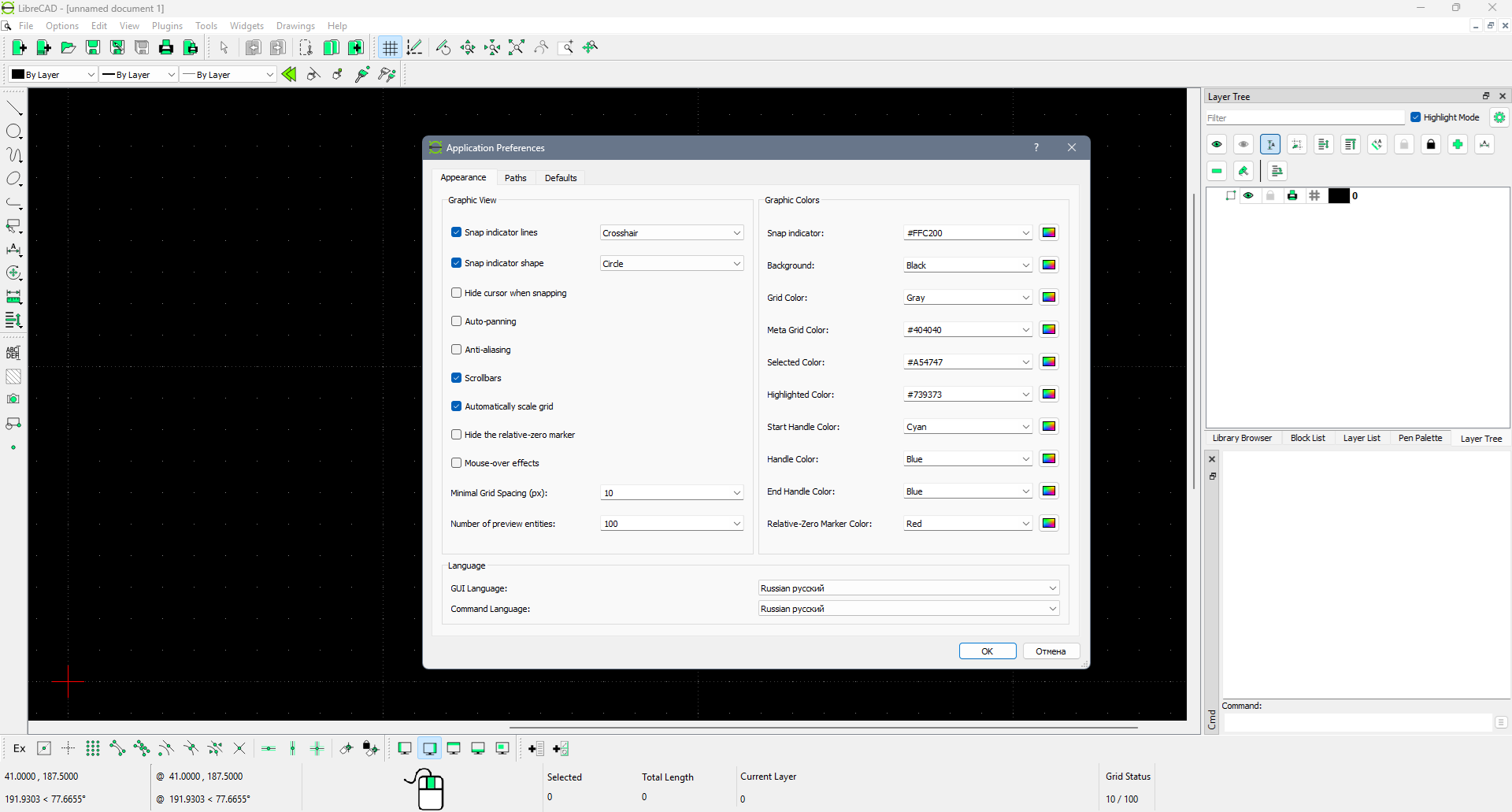
Now languages appeared, but changing the laguages not working, everything still in English (after restart):
Reply | Threaded
Open this post in threaded view
|

Re: No languages except English

sand1024
if I'm correct, restart is required after language change. Will it help?

Please also note that for some languages translations may be missed. If you're looking for russian, probably it is worth also check 2.2.2-alpha (https://github.com/LibreCAD/LibreCAD/releases/tag/2.2.2_alpha-latest)  - transalation there might be more relevant
smk
Reply | Threaded
Open this post in threaded view
|

Re: No languages except English

smk
Yes, screenshot is after restart.
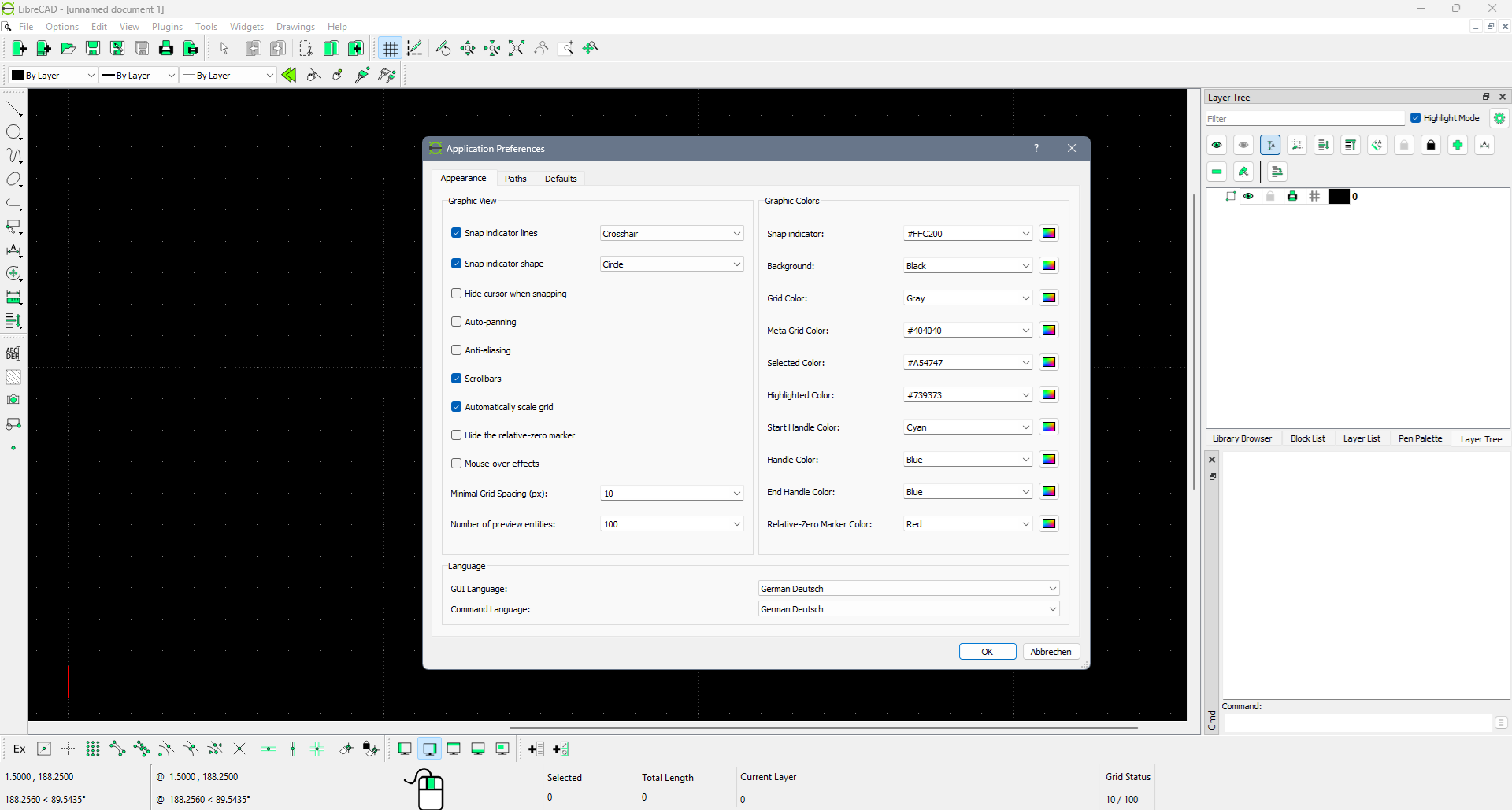
Tryed German for test, same picture, only "cancel" button translated.
Or what popular language should I try to figure out that interface is translating correctly?
Reply | Threaded
Open this post in threaded view
|

Re: No languages except English

HMoser
Hallo smk,
hast du es geschafft, die Sprache zu ändern?
Ich habe das gleiche Problem und keinen Plan wie das zu lösen ist!

Reply | Threaded
Open this post in threaded view
|

Re: No languages except English

dxli
Try the latest 2.2.1 release candidate build. Please let me know if it’s not fixed yet.

We are releasing 2.2.1.4 in the coming days, including the language fixes
HMoser wrote
Hallo smk,
hast du es geschafft, die Sprache zu ändern?
Ich habe das gleiche Problem und keinen Plan wie das zu lösen ist!
HMoser wrote
Hallo smk,
hast du es geschafft, die Sprache zu ändern?
Ich habe das gleiche Problem und keinen Plan wie das zu lösen ist!
Reply | Threaded
Open this post in threaded view
|

Re: No languages except English

Ulima
de:
Ich habe gerade LibreCAD zum ersten Mal installiert.
Anschließend Verzeichnis der Sprachdateien eingestellt.
Application Preferences | Paths | Translations:
D:\Program Files\LibreCAD\translations
Nach dem Neustart zeigt zeigt sich der gleiche Fehler.
Der Button "Cancel" wird zu "Abbrechen". - Das einzige Wort in Deutsch.

en:
I just installed LibreCAD for the first time.
Then I set the directory for the language files.
Application Preferences | Paths | Translations:
D:\Program Files\LibreCAD\translations
After restarting, the same error appears.
The “Cancel” button changes to “Abbrechen”—the only word in German.


_____
Version: v2.2.1.3-12-gd1ca469c9
Compiler: Microsoft Visual C++
Compiled on: Mar  3 2026
Qt Version: 5.15.2
Boost Version: 1.87.0
System: Windows 10 Version 2009
Reply | Threaded
Open this post in threaded view
|

Re: No languages except English

dxli
Sorry, the current language support in 2.2.1.4 is messed up.

I'm working on to get the support back to a minimum level. Please try the latest master branch to get a preview of updated translations.

https://github.com/LibreCAD/LibreCAD/releases/tag/2.2.2_alpha-latest

The 2.2.1 branch is work-in-progress in my own fork: https://github.com/dxli/LibreCAD/tree/2.2.1


Ulima wrote
de:
Ich habe gerade LibreCAD zum ersten Mal installiert.
Anschließend Verzeichnis der Sprachdateien eingestellt.
Application Preferences | Paths | Translations:
D:\Program Files\LibreCAD\translations
Nach dem Neustart zeigt zeigt sich der gleiche Fehler.
Der Button "Cancel" wird zu "Abbrechen". - Das einzige Wort in Deutsch.

en:
I just installed LibreCAD for the first time.
Then I set the directory for the language files.
Application Preferences | Paths | Translations:
D:\Program Files\LibreCAD\translations
After restarting, the same error appears.
The “Cancel” button changes to “Abbrechen”—the only word in German.


_____
Version: v2.2.1.3-12-gd1ca469c9
Compiler: Microsoft Visual C++
Compiled on: Mar  3 2026
Qt Version: 5.15.2
Boost Version: 1.87.0
System: Windows 10 Version 2009
Reply | Threaded
Open this post in threaded view
|

Re: No languages except English

Ulima
de:
In der alpha-Version 2.2.2 sind viele deutsche Wörter. Sie sind aber oft dort, wo sie nicht hingehören.
Ich warte lieber auf die beta-Version.

en:
The alpha version 2.2.2 contains a lot of German words. However, they often appear in places where they don't belong.
I think I'll wait for the beta version.
translator: deepl.com

Doppelte Icons
Doppelte icons | Duplicate icons

Verwirrende Menüzeile
Verwirrende Menüzeile | Confusing menu bar

Konsolen-Fenster öffnet sich beim Start
Konsolen-Fenster öffnet sich beim Start | The console window opens at startup
(Screenshot from Task-Manager)

____
Ausführung: 1>/b>
Compiler: Microsoft Visual C++
Gefertigt auf: Mar 20 2026
Qt Version: 6.9.3
Boost Version: 1 87 0
System: Windows 10 Version 22H2