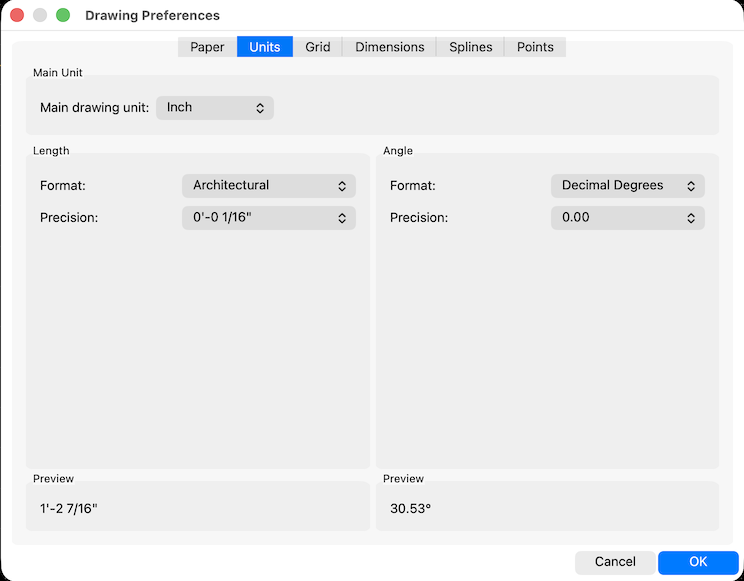
It's probably not the grid, because LibreCAD just works in units. And the meaning of an unit is set in drawing preferences. Thus you can work with 1 unit is 1 inch.
The issue is the non linear scaling and fraction system of imperial units. It's more worse when it comes to architectural sizes when foot and yard are involved.
From programmers point of view this is a nightmare. It is not just text to number conversion, it is advanced parsing needed to get units and fractions correct. And the reverse procedure is needed for annotating.
There is no fixed grid in LibreCAD, grid is increased/decreased by factor 10 on zoom in/out. In imperial this is also not easy, using factor 4 or 8 for the grid might work for zoom in, but zooming out it will be wrong as it does not match with foot/yard factors.
Basically this is possible, for sure, but it will need a considerable amount of effort to do it correct.
There was no developer so far and none in sight, who take this battle.
There are some work arounds here in the forum how to handle the imperial issues, try to search for inch might deliver some usable results.
So it is possible to enter math expressions in command line and most input fields when units is set to inch.
E.g. for 3/8" enter 3/8 or 2 7/8" is 2+7/8 or 2'5" is 2*12+5.
For annotation you have to modify the dimension manually with Modify->Preferences to have imperial notation.
I'm used to decimal units, but I rarely rely on the grid myself. I prefer using the command line where I can enter accurate relative distances or construct shapes using parallel, angle and circles with appropriate snap settings and trimming afterwards.
investing less than half an hour into Search function can save hours or days of waiting for a solution


 Locked